
How much Mac is too much for me?

Collapse
X
 
  • Time
  • Show
Clear All
new posts
  • Cybele
    Senior Member
    • Nov 2002
    • 126

    How much Mac is too much for me?

    I don't need to do fancy graphics, just some simple ones, don't have a lot of interest in creating digital masterpieces, though I'd like to be able to take a CD and download a vidclip...burning a CD might also be a nice thing to be able to do.

    Mainly I'm a writer, and I want a computer that will come with me like a spiral notebook, and allow me to avoid Gatesworld, which I have come to hate intensely.

    I know that Macs come with their own set of problems, but I'd like a change of pace from Windows. Macs pretty much plug and play, right?

    Talk to me.

    Cybele
  • Jim
    Administrator
    • Dec 2000
    • 1096

    #2
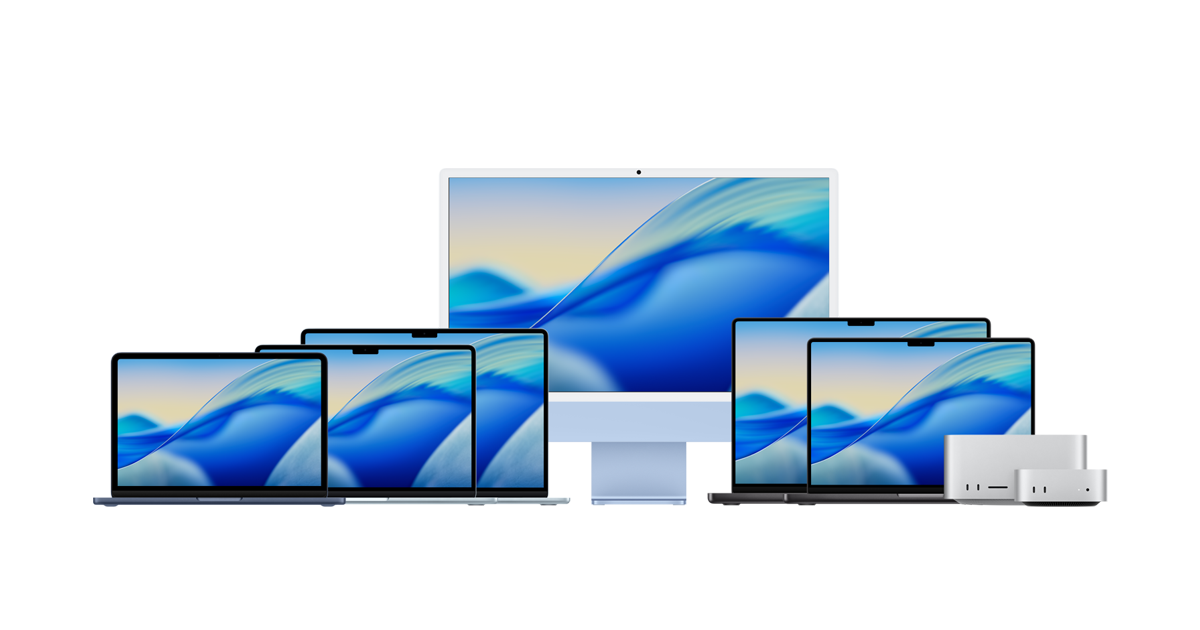
    The most powerful Mac laptops and desktops ever. Supercharged by Apple silicon. MacBook Neo, MacBook Air, MacBook Pro, iMac, Mac mini, and Mac Studio.


    You probably want the 12.1inch with the combo drive. (Read/write CD + Play DVD)

    Don't get the 14inch unless you have really bad eyesight and like carrying a bigger laptop than you need. The only real difference is the SIZE of the screen, but the resolution (number of pixels) is the same as the 12.1.

    If you don't need to burn CDs or play DVDs, the low end 12.1 is a sweet deal at $999.

    Go to the Apple Store near you and play with this machine. You will like it.

    And our famous Martin has one.

    Jim

    Comment

    • Cybele
      Senior Member
      • Nov 2002
      • 126

      #3
      Unit played with and enjoyed....what about that extremely costly warantee? Is this necessary? Then there was the whole .Mac issue. And do I need the plug-in floppy port, or should I go ahead, be brave and start burning my stuff on CDs, using the new computer only for new projects and leaving everything on disc on the desk with my Compaq?

      Also, I have heard there are issues with translation from Mac to PC; ie: it's supposed to work, but usually doesn't. Illuminate me?

      Any opinions on purchasing used Apple equipment?

      And now I'm wondering if it wouldn't be a better idea for me to get an older iBook with an integrated floppy drive, as more suited to my current needs.

      That fingerpad mouse thingy takes some getting used to.

      Cybele

      Comment

      • Scot Free
        Senior Member
        • Dec 2001
        • 314

        #4
        I bought a used ibook last summer (combo-drive) the logic(mother)board fried on me witnin 4 months...that's the problem with buying used you don't know what use/abuse it has taken from the first owner. This is especially true for lap-top computers.
        I ended up buying a brand new 15' powerbook. Owning the ibook sold me on apple and it's super easy intergrated software package.
        to answer your question the Powerbook is too much Mac, but I wanted as much Mac as I could afford and i can wait a year before I have to decide on the applecare warrenty.
        Floppy is dead............R.I.P.
        the ibook with the combo drive is just enough mac for just about anything you can dream of doing on your computer. edit video, make promo, play games, watch movies and surf the net.
        I strongly suggest that the non-combo ibook (the one with just cdrom) is too little Mac. you want to burn cd's for music and data(sooooo simple) think of the DVD as a bonus. you will want the burner, you need the burner.
        Also I suggest buy new or refurbished from an authorized Mac dealer.
        happy hunting.

        Comment

        • Jim
          Administrator
          • Dec 2000
          • 1096

          #5
          I have not physically handled a floppy disk in about 4 years. Cybele, you do not need a floppy disk. Anything you would ever need to put on a floppy disk could be emailed to yourself or anyone else. 1.4 megs is all that's on a floppy. Even with a 56k modem, that would take about 2 minutes to email. With broadband, you can email 1.4 megs faster than you could transfer it to a floppy disk.

          I don't know much about the transfer from PC to Mac, but you could start here:

          It’s quick and easy to switch from Android to iPhone. Trade in your smartphone for credit. And transfer your stuff with a few taps.


          You probably don't need .mac and you could always get it anytime later,

          I would not buy a used laptop. Maybe a used desktop, but laptops are generally more fragile and get bumped around by people. You don't know what you're going to get.

          If you buy new, you don't need applecare. You'll have a built in warranty and if anything is going to go wrong, it will go wrong within the first year. If you want applecare later, you can get it.

          If you don't like the trackpad, plug in a mouse. If you don't like the keyboard, plug in a different keyboard, if you want a bigger monitor, plug one in the back. (This is of course if you are using the ibook at home. Although, when I had a laptop, I'd travel with a mouse. I don't LOVE the trackpad.) You can treat your ibook like a desktop computer when you're at home and plug different peripherals into it so you're more comfortable.

          Comment

          • Cybele
            Senior Member
            • Nov 2002
            • 126

            #6
            Ah, so...the mousey thingy has a name. Trackpad. Got it.

            Scott, Jim, you guys are so helpful. I appreciate the input and past experience.

            applecare and .mac are salesmen add-ons that are not immediately necessary. Got that, too.

            Jim, see if I've got this, as well: My current project (Watergate!the Musical, coming to Baltimore this March) is on floppy. I e-mail it to myself from the dinosaur on the desk. From my shiny new iBook, I download it from my e-box onto an equally shiny CD. Now I carry the "master" of the script as easily as I carry my scuffed and dogeared pencil marked hard copy. Yes?

            Next question: do I get the airport and base unit, or do I go for "real" wireless (that sounds so weird)and get a service contract through my mobile phone?

            Cybele

            Comment

            • billzxzme
              New Member
              • Aug 2001
              • 4

              #7
              Cybele,

              I bought a mac after 15 years of PC dedication. (I bought the mac purely as a video editing tool) Within a week I sold my brand new Pentium 4 PC! And it's the best thing I ever did. (I have a titanium)

              If you do buy a mac and you have the slightest problem getting something transfered over, or run into some incompatibility e-mail me at
              bill@rootberry.com
              and I'll help in any way I can

              Be well,
              Bill Berry
              Team Rootberry
              rootberry home page

              Comment

              • Jim
                Administrator
                • Dec 2000
                • 1096

                #8
                [quote]Originally posted by Cybele:
                <strong>Jim, see if I've got this, as well: My current project (Watergate!the Musical, coming to Baltimore this March) is on floppy. I e-mail it to myself from the dinosaur on the desk. From my shiny new iBook, I download it from my e-box onto an equally shiny CD. Now I carry the "master" of the script as easily as I carry my scuffed and dogeared pencil marked hard copy. Yes? </strong><hr></blockquote>


                You can email copies of anything, anywhere. Copy the stuff on the floppy to your ebox. Email the files from your ebox to your own email address. Then check your email from your new ibook. The files will download to your ibook. Then you can do whatever you want with them... Burn a CD, burn several CDs, email it to friends, upload it to a .mac storage account, upload it to a server or web site... It's just digital information.

                [quote]Originally posted by Cybele:
                <strong>Next question: do I get the airport and base unit, or do I go for "real" wireless (that sounds so weird)and get a service contract through my mobile phone?
                </strong><hr></blockquote>

                What kind of internet access do you have? Phone line? Cable modem? DSL? Whatever it is, you can just plug the cord into your ibook. The ibook will accept a phone line or ethernet cable. (Ethernet is the 'large phone jack' looking thing that comes out of your cable modem or DSL modem.)

                If you want wireless 'Airport' you need to get a $100 'Airport' card installed in your ibook to receive the wireless signal. Then you have to get the $250 'Airport' base station to transmit the wireless signal from your modem to your 'Airport card' in your ibook. It's a little pricey to set up, but walking around your house and yard and staying connected to the web is a cool thing. If you have roommates or neighbors, you could easily share the signal by installing a $100 card in any computer you want connected. Then you can split the cost of internet access and the base station.

                I don't know about setting up wireless access with a cell phone. I'm sure there's some kind of data cable you need to buy and I doubt most cell phone companies are too keen on using their bandwidth for data transfer on a laptop. Plus it may be kind of slow depending on your provider.

                The easiest thing is to just plug the cable into the back of the ibook. Zero cost. Zero configuration. You can set up wireless networks later.

                Jim

                Comment

                • martin ewen
                  Senior Member
                  • Dec 2000
                  • 1887

                  #9
                  heres a new mac resource

                  Its more applied practicality than fanbase


                  sorry its only been put up over the weekend so its sort of empty
                  Its parent is
                  43Folders.com is Merlin Mann&#8217;s website about finding the time and attention to do your best creative work.


                  that has lots of good stuff in it.
                  Last edited by martin ewen; Mar-21-2005, 08:43 AM.

                  Comment

                  • martin ewen
                    Senior Member
                    • Dec 2000
                    • 1887

                    #10
                    Its for cueing your shows

                    try testing this out, I'm looking at it and it seems to be well designed both to have just simple stuff so any plonker can be given the task of cueing for you.Or
                    If you have a real tech, it gives you heaps of possibilities of switching cue orders and branching off into options etc.


                    Comment

                    Working...